Points of interest edit page
A dedicated tool for adding, editing, and deleting points of interest on a course.
Managing POIs on the course edit page is great for pin-pointing where you want to place a marker, but sometimes our users just want to change the icon on a POI, edit some copy on the POI, delete a POI, or add POIs based on known GPS coordinates. HelloDrifter provides a POI edit page for these use cases.
After creating a course for your race, you can access the POI edit page in the race toolbar. Click the three vertical dots on the right, and click the “Edit POIs” link:
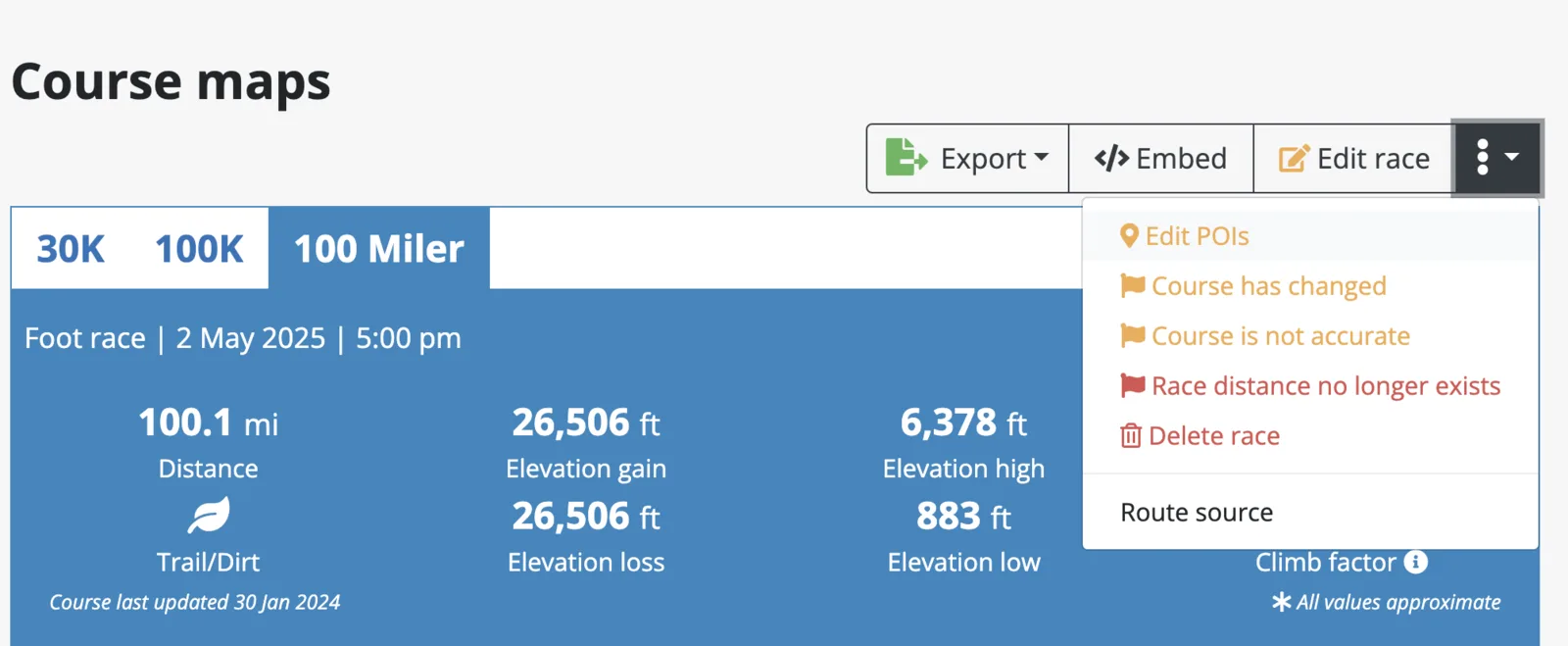
This will bring you to a page that has a tile for every POI on the course.
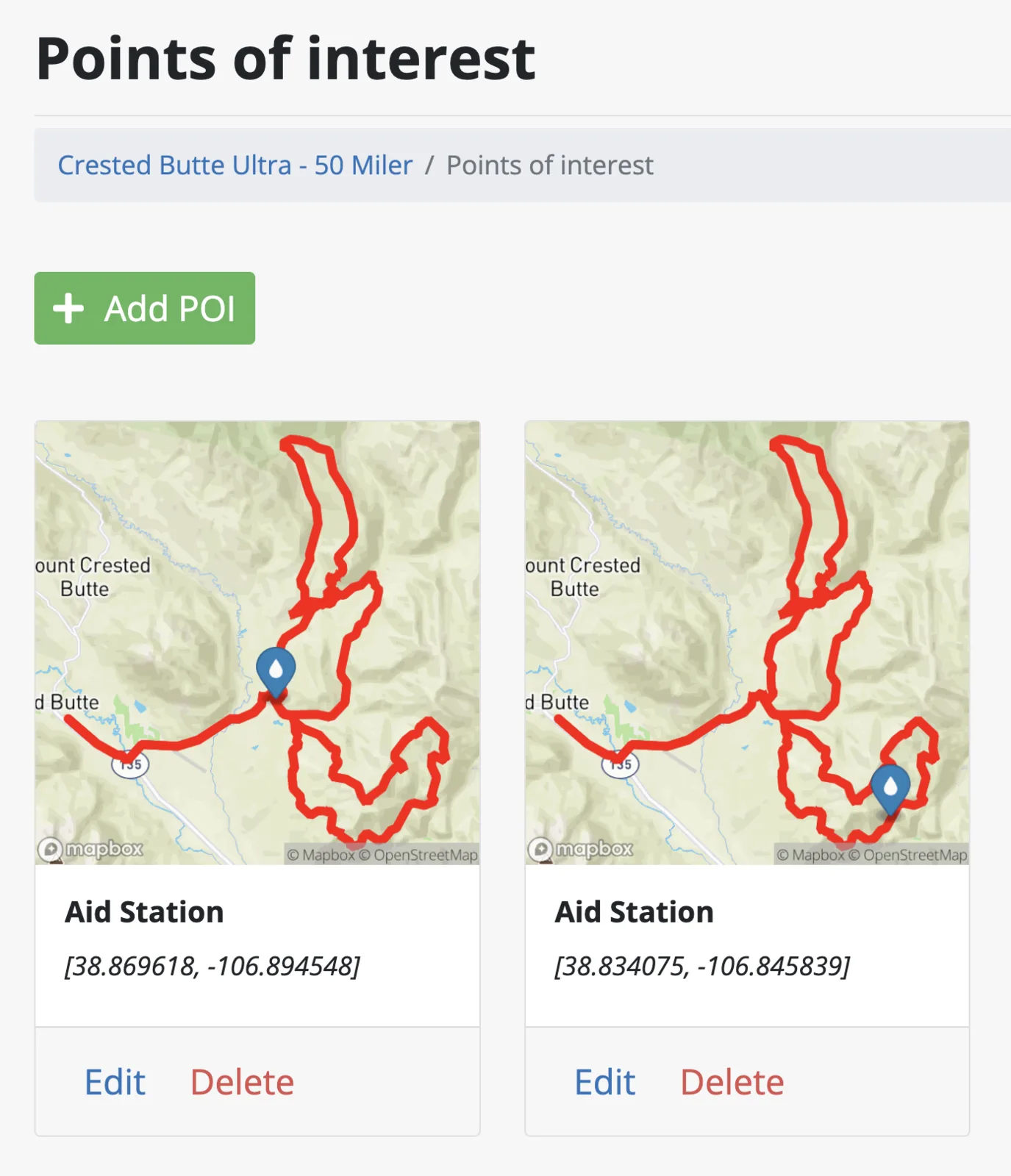
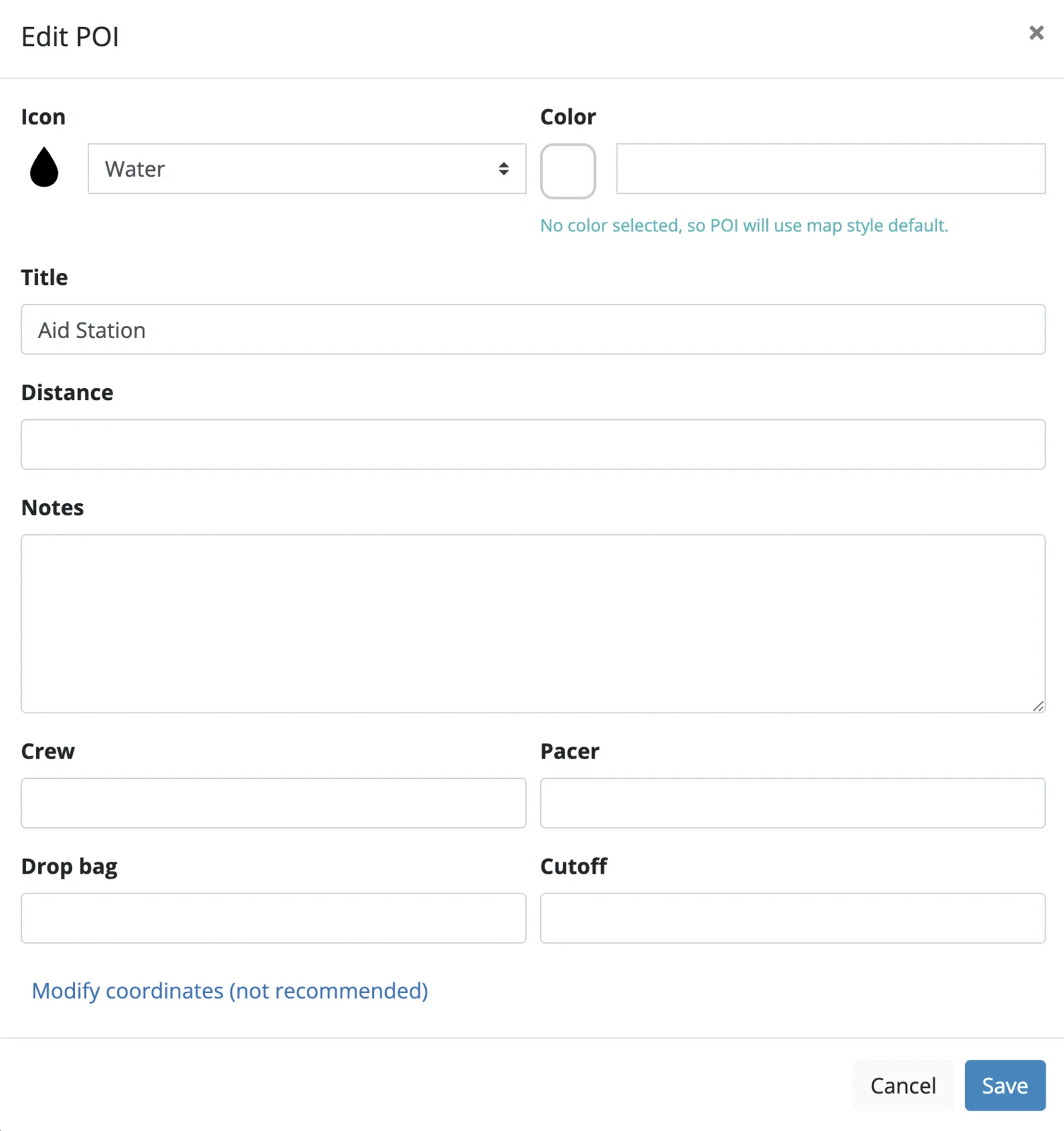
Click “Delete” on any tile to remove the POI. Clicking “Edit” will bring up a form that allows you to update any of the POI fields that you can on the course edit page. The form also has the same “Use preset” dropdown, which fills in the icon, color and title from one of your POI presets.
You can also add a POI by clicking the “Add POI” button. However, note that for this you will need very precise coordinates for your any given POI.